Get pinged the moment a sold-out Uniqlo size is back, in your Discord. Setup takes about two minutes.
What is DropWatch
DropWatch is your personal restock bot. It watches Uniqlo for you, 24/7. Found a piece you love but your size is sold out? Just tell DropWatch the item, colour and size you want.
From then on it keeps an eye on the store around the clock, checking every 30 seconds. The moment your size comes back, it sends you a little ping. So you can grab it before it sells out again. No refreshing the page, no checking every day, no missing out. You shop; we watch. 💗
1 Create a Discord server
Your alerts need somewhere to land. If you already have a Discord server you can manage, skip to step 2. Otherwise it takes about 20 seconds to make one.
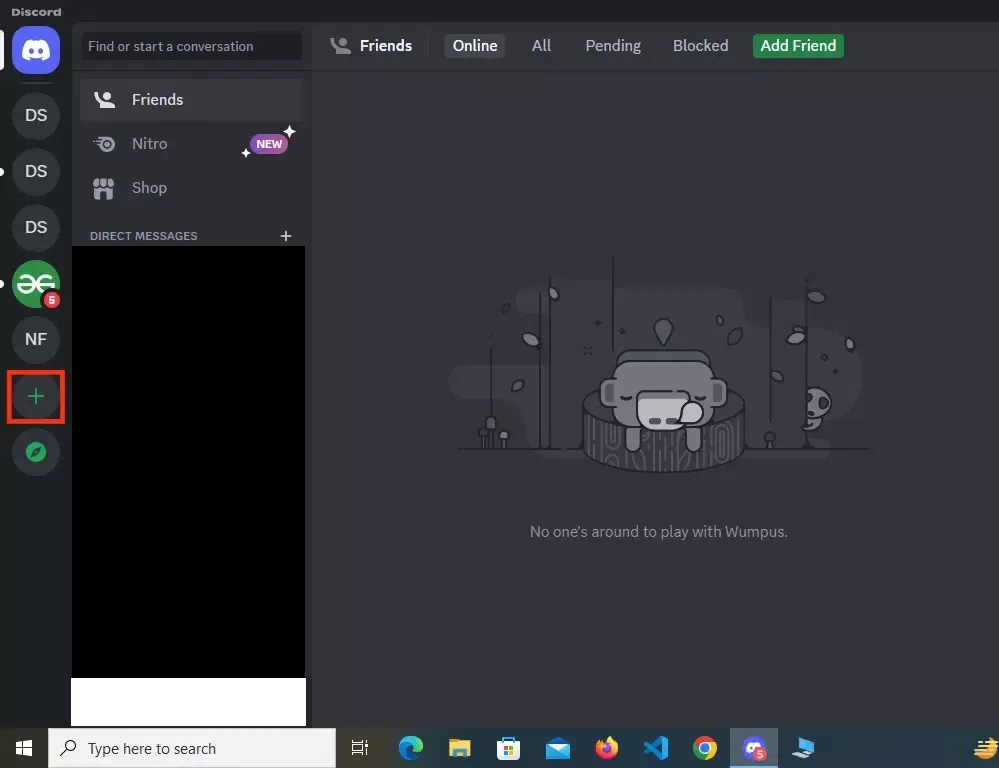
- Open Discord (desktop or browser). On the far-left rail, click the big + button.
- Choose Create My Own → For me and my friends.
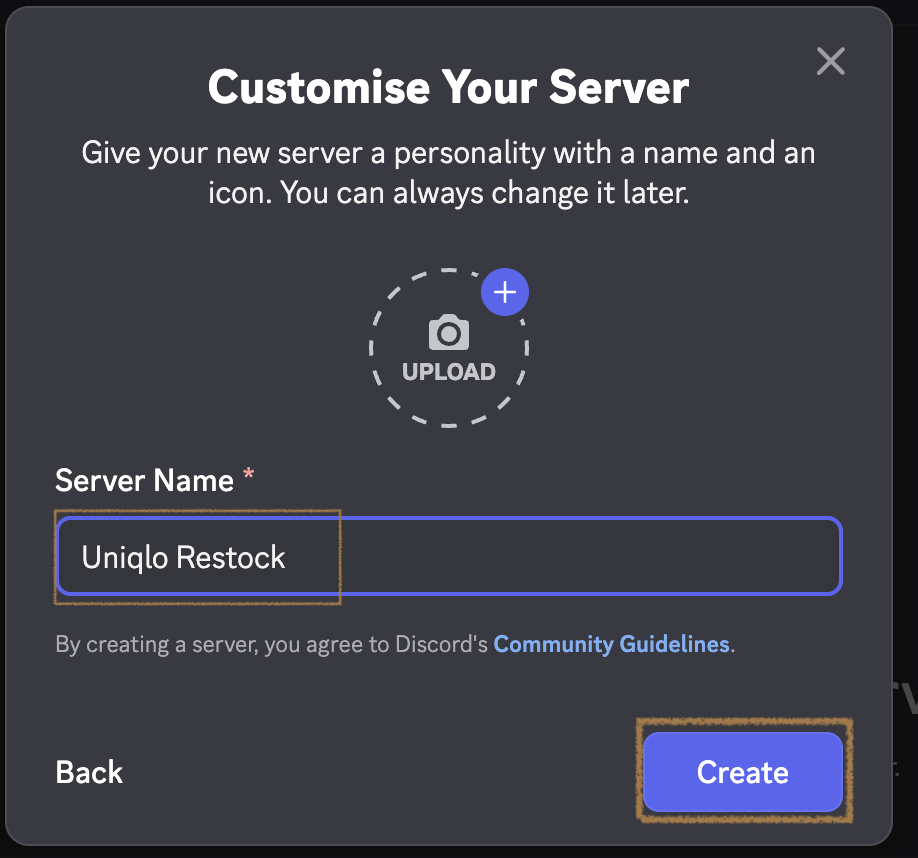
- Give it any name. E.g.
Uniqlo Restock. And click Create.
2 Create a webhook
A webhook is a private link for one channel. DropWatch posts your restock alerts through it. You set it up once. Under a minute.
You need: a server where you can manage settings (your own, or one where you have Manage Webhooks). The steps differ slightly on desktop vs the phone app. Both are below.
💻 On desktop (or browser)
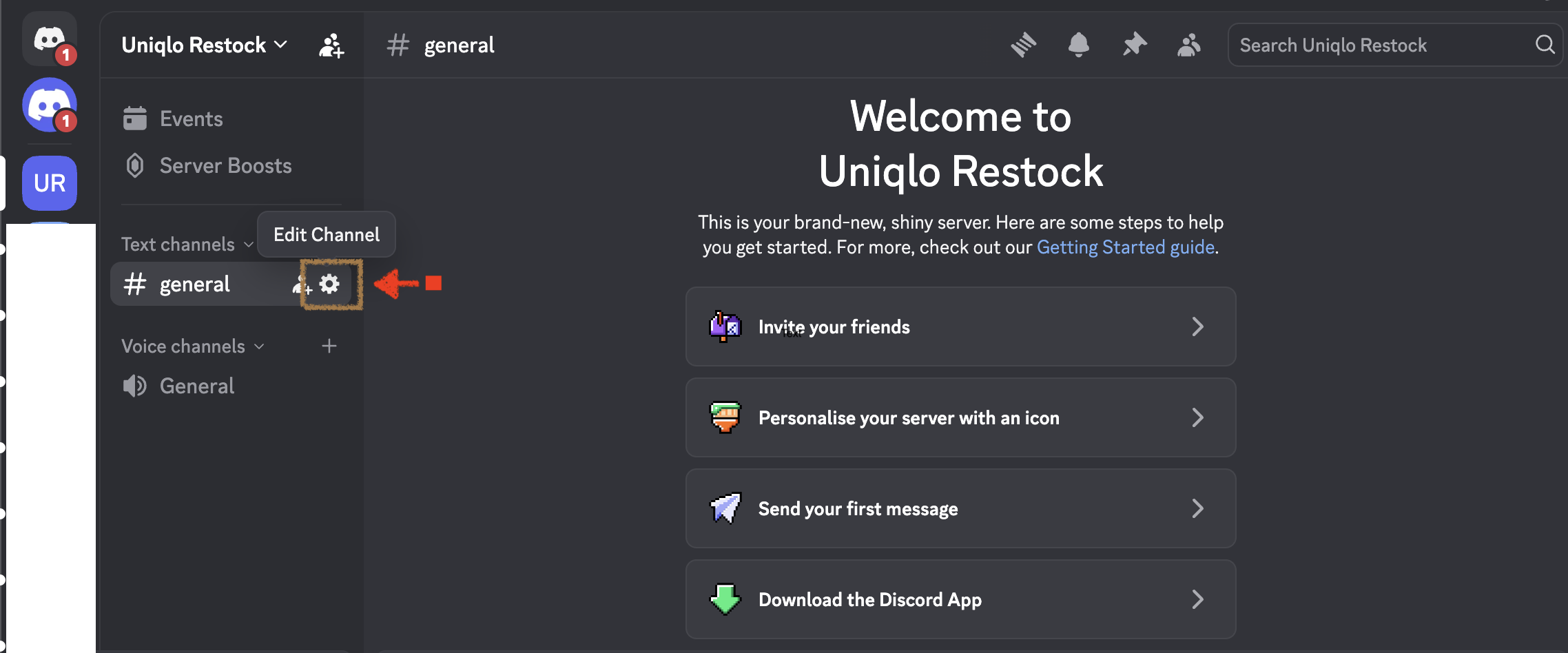
- Hover the channel you want alerts in (e.g.
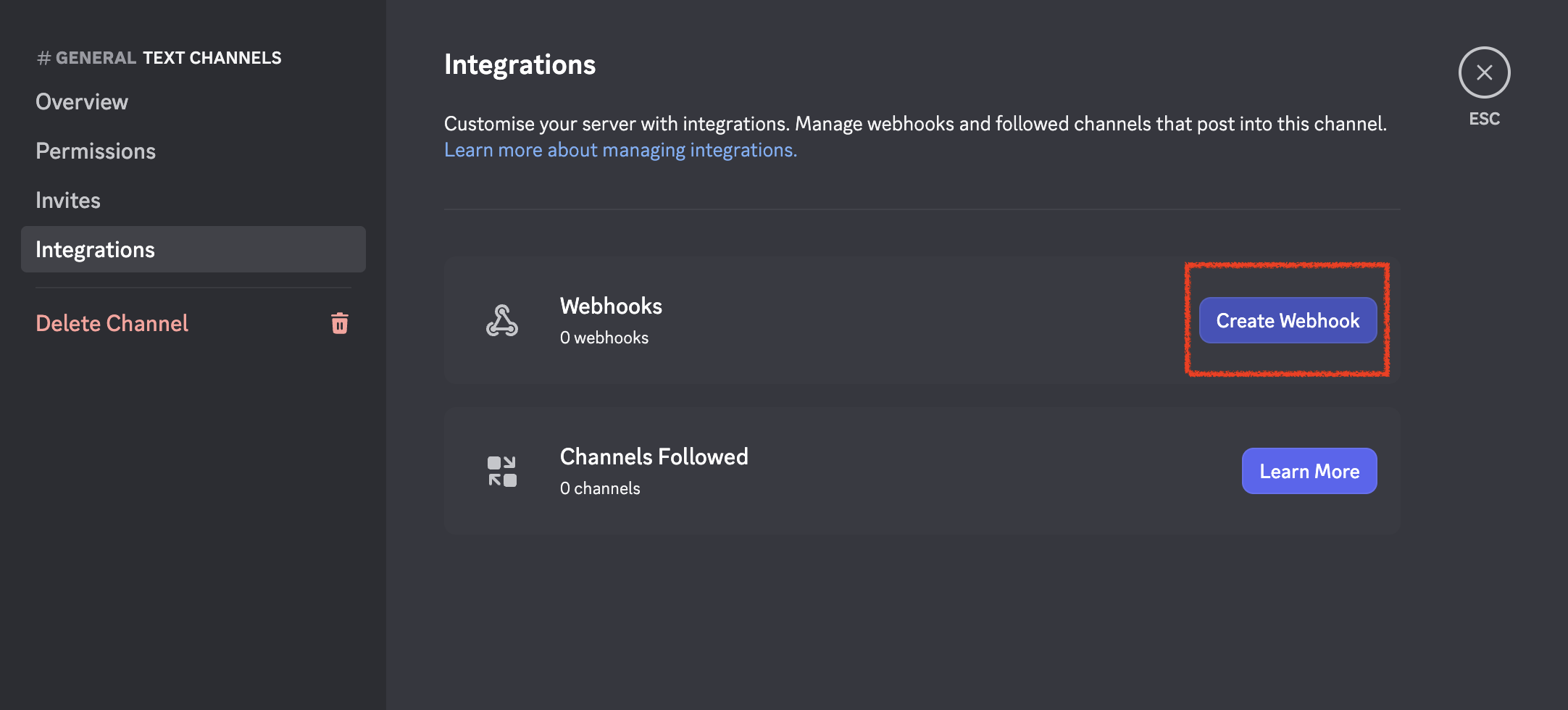
#general) and click the ⚙️ Edit Channel gear. - Open Integrations → Webhooks → New Webhook.
- Optionally rename it (e.g.
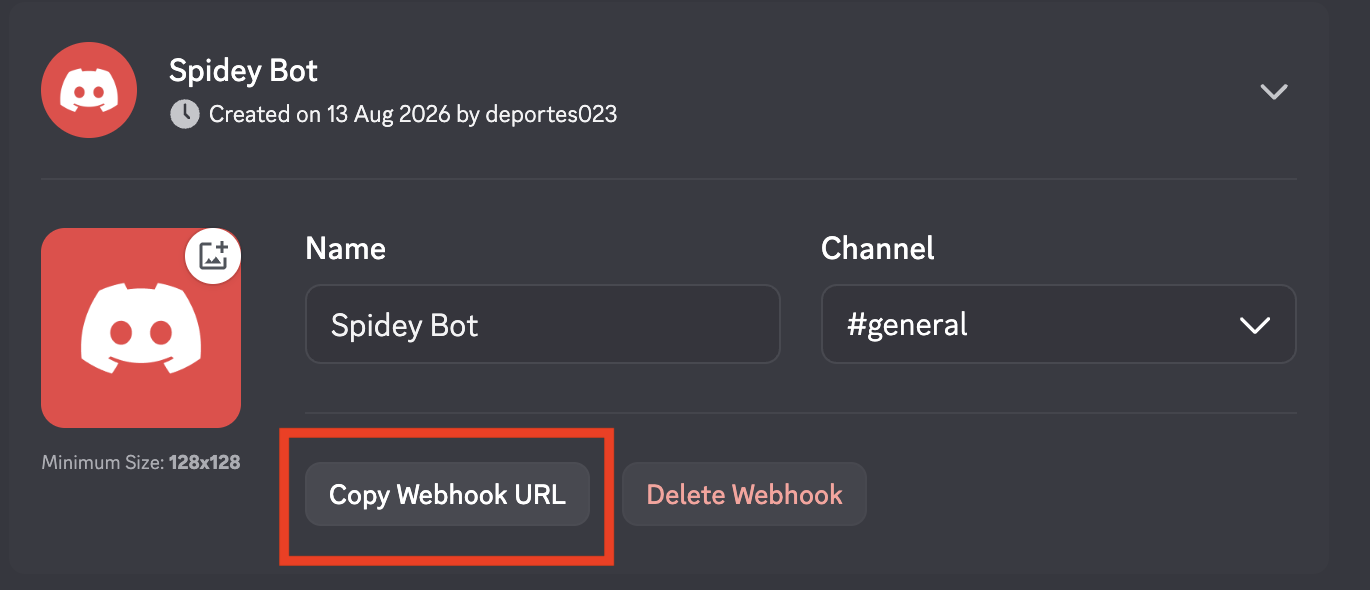
Restock Alerts), then click Copy Webhook URL.
📱 On the phone app
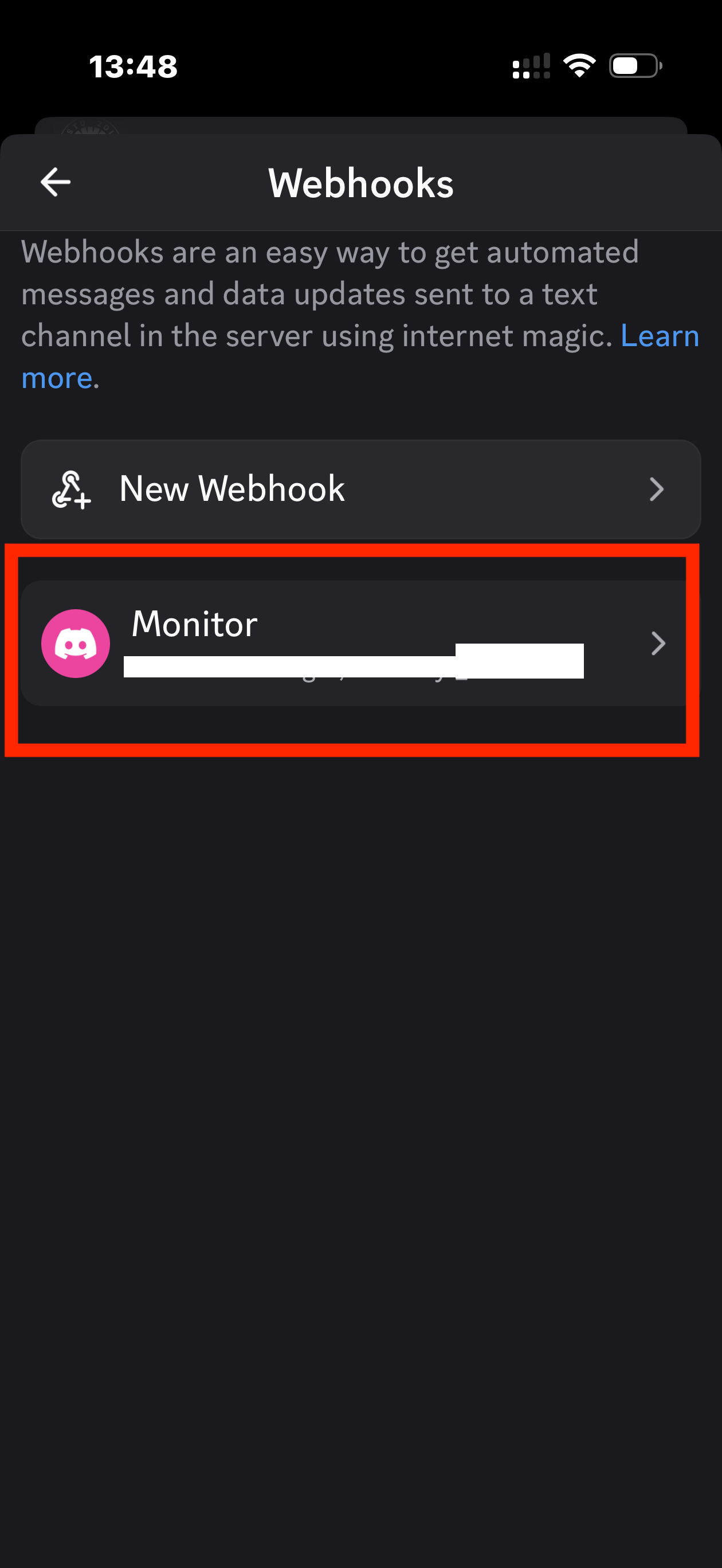
The mobile app hides webhooks inside each channel's settings. The path:
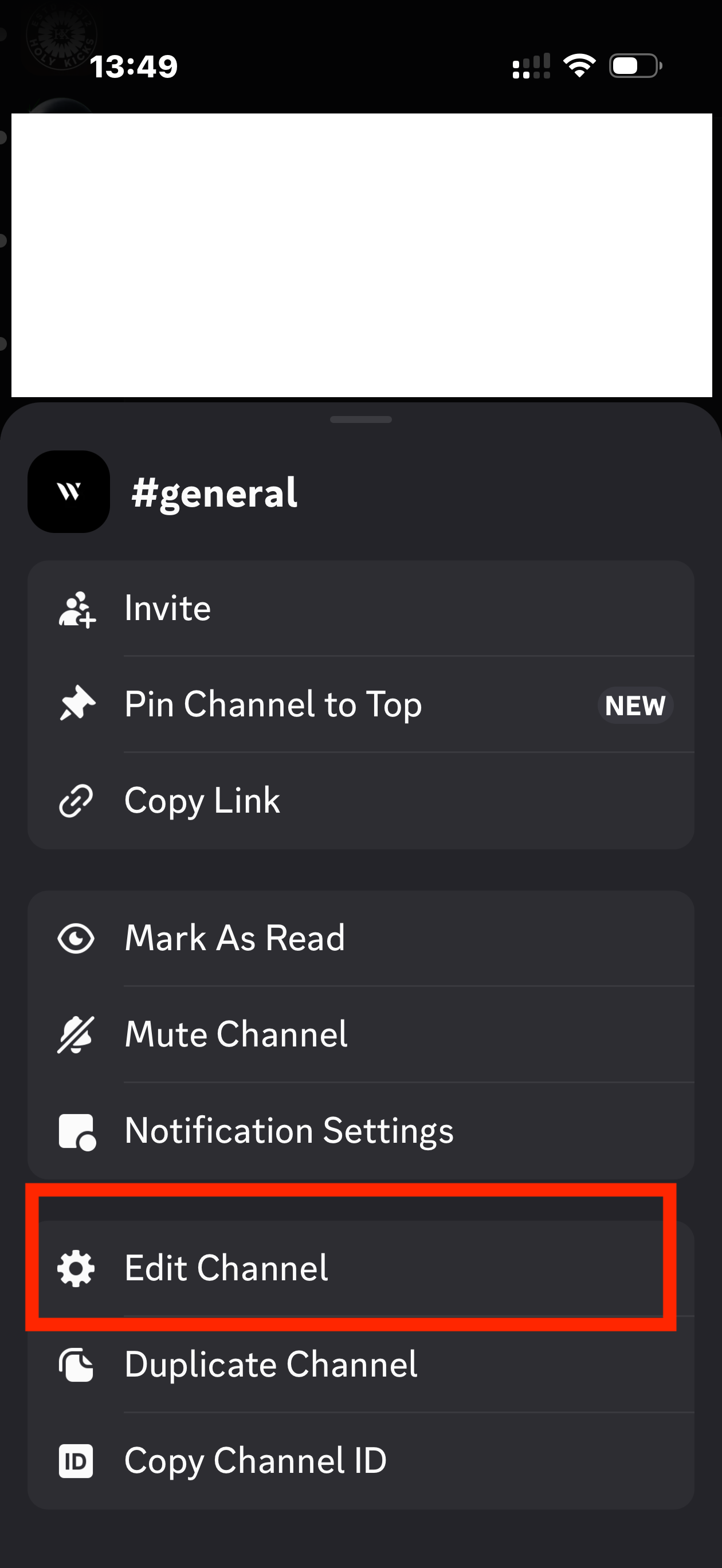
- Open your server and tap & hold the channel you want alerts in → Edit Channel.
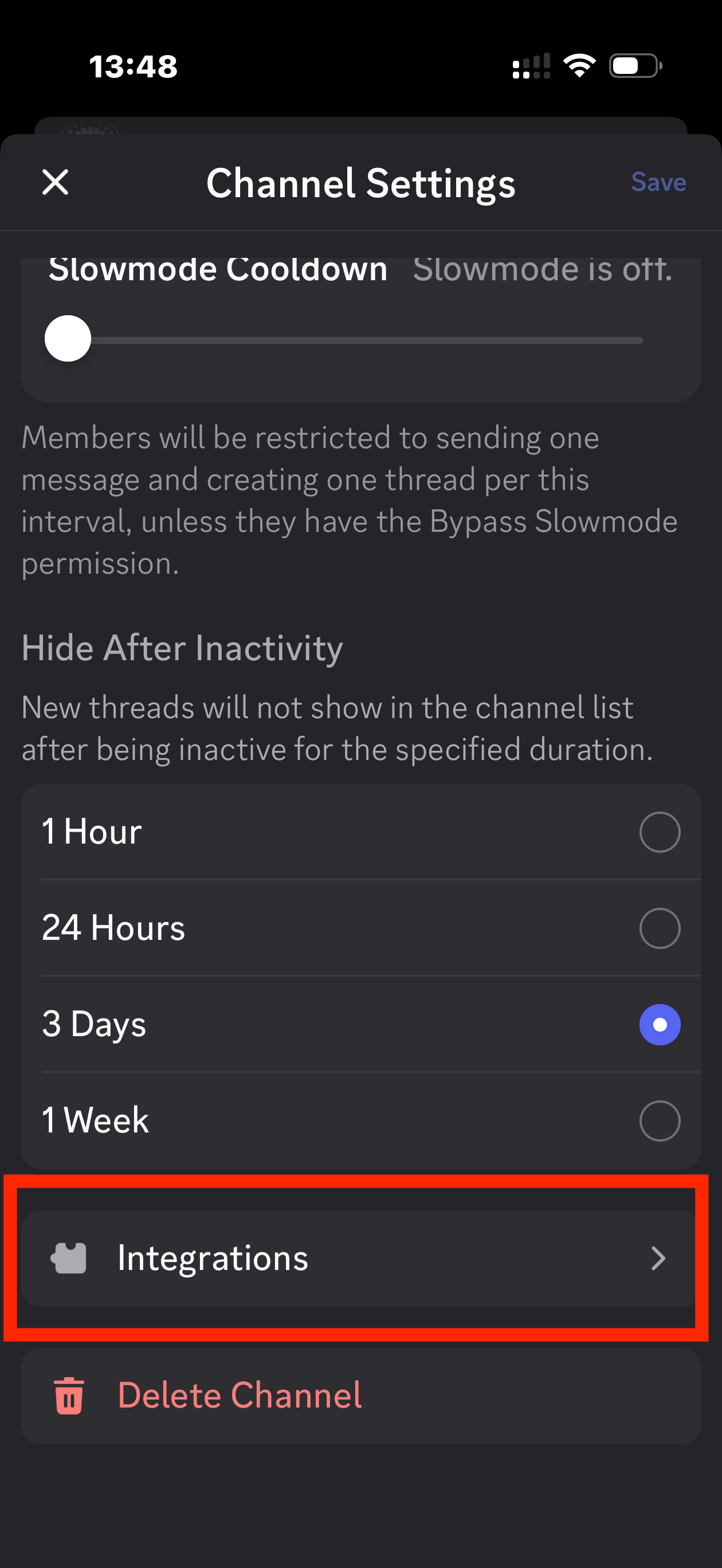
- In Channel Settings, tap Integrations.
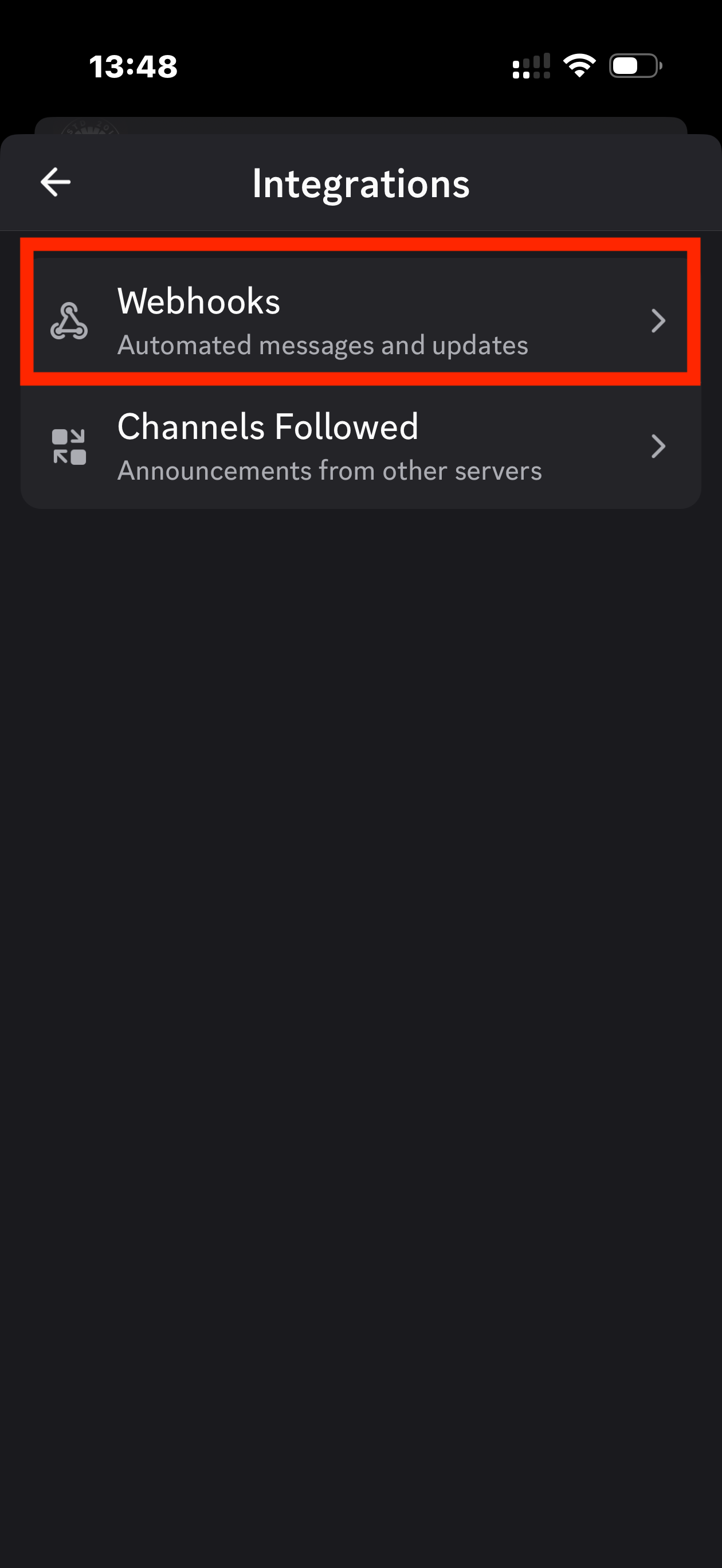
- Tap Webhooks → New Webhook.
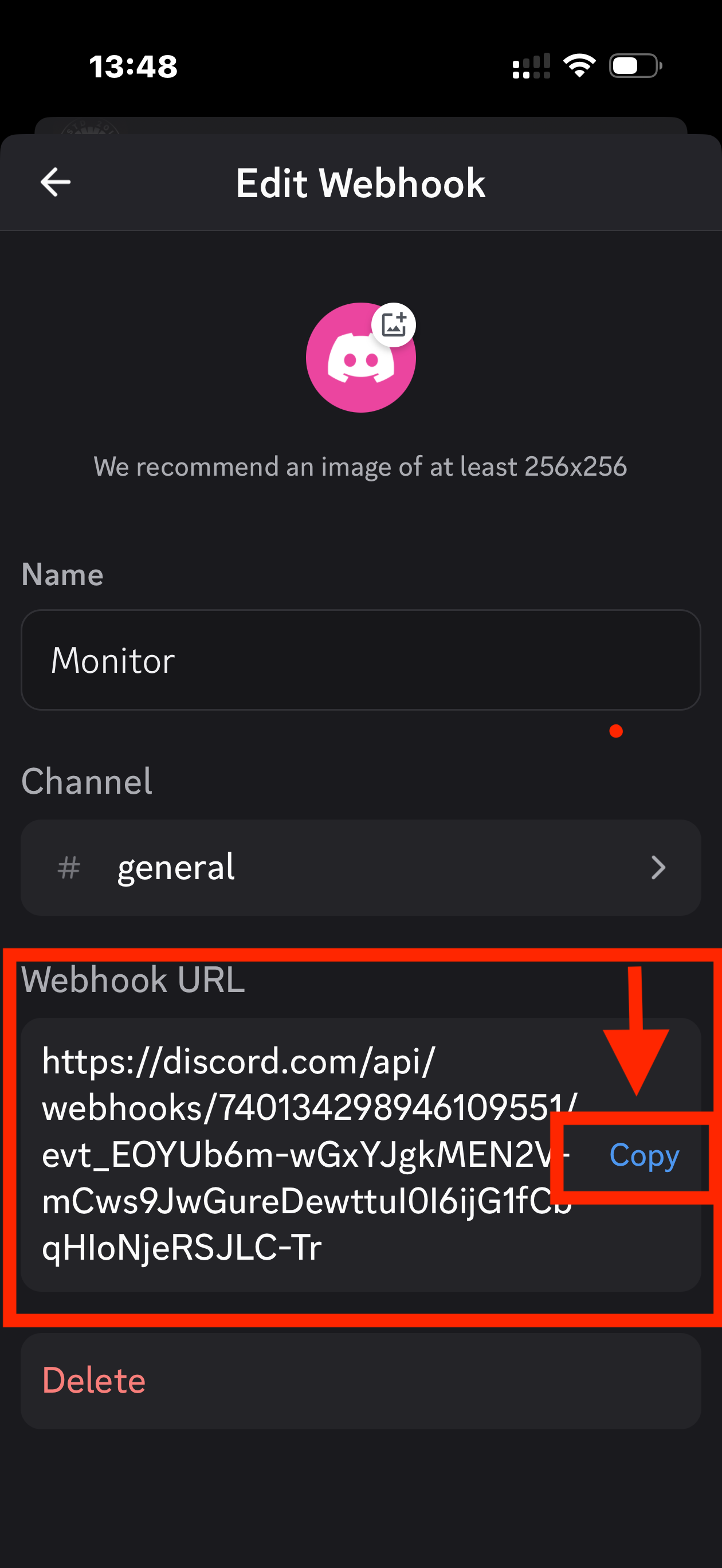
- Tap the new webhook (named after the channel).
- Tap Copy Webhook URL. That's your link.
3 Register & send a test message
Now you test that webhook. By signing up. DropWatch has no passwords: you paste the webhook and we post a real login link straight into your Discord. If that message arrives, your restock alerts will too.
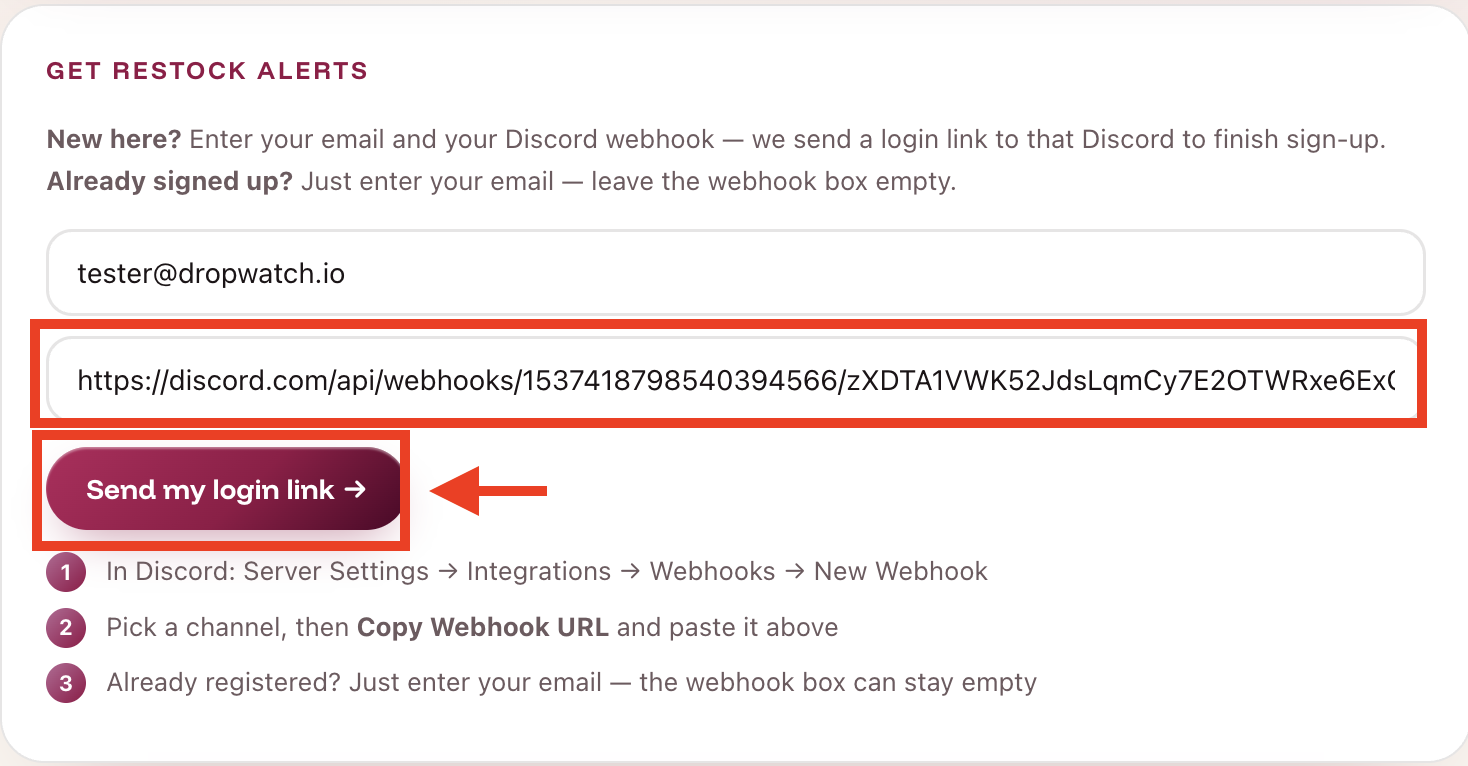
- Open the DropWatch app and find the Get restock alerts box.
- Enter your email, then paste your Discord webhook URL in the second box.
- Click Send my login link.
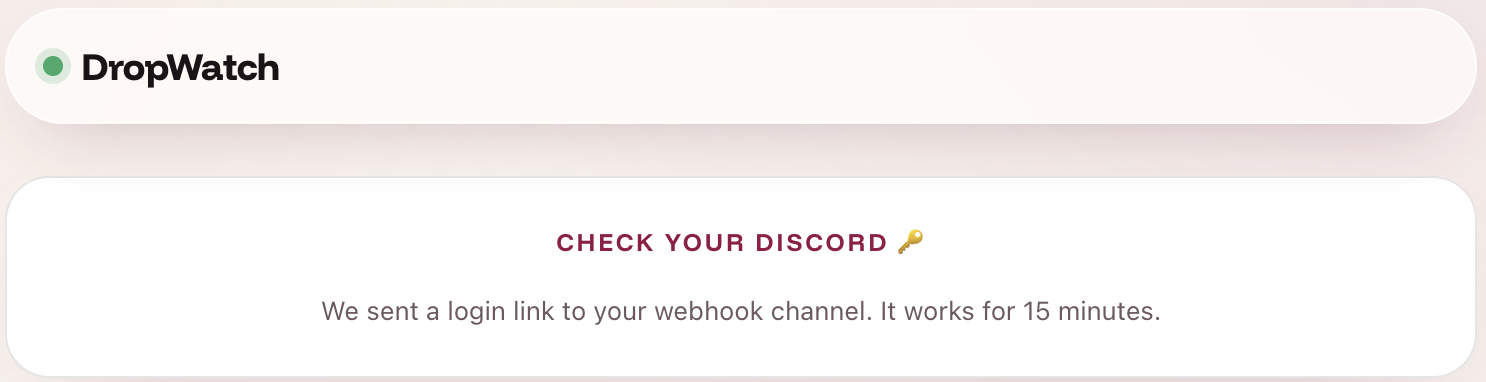
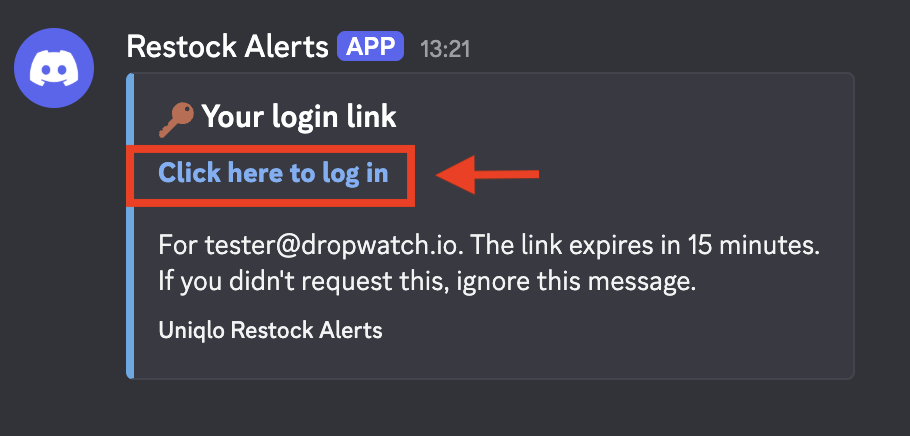
- Within seconds, a “Your login link” message from Restock Alerts appears in your Discord channel. That message is the test. ✅
4 Log in & add your first tracker
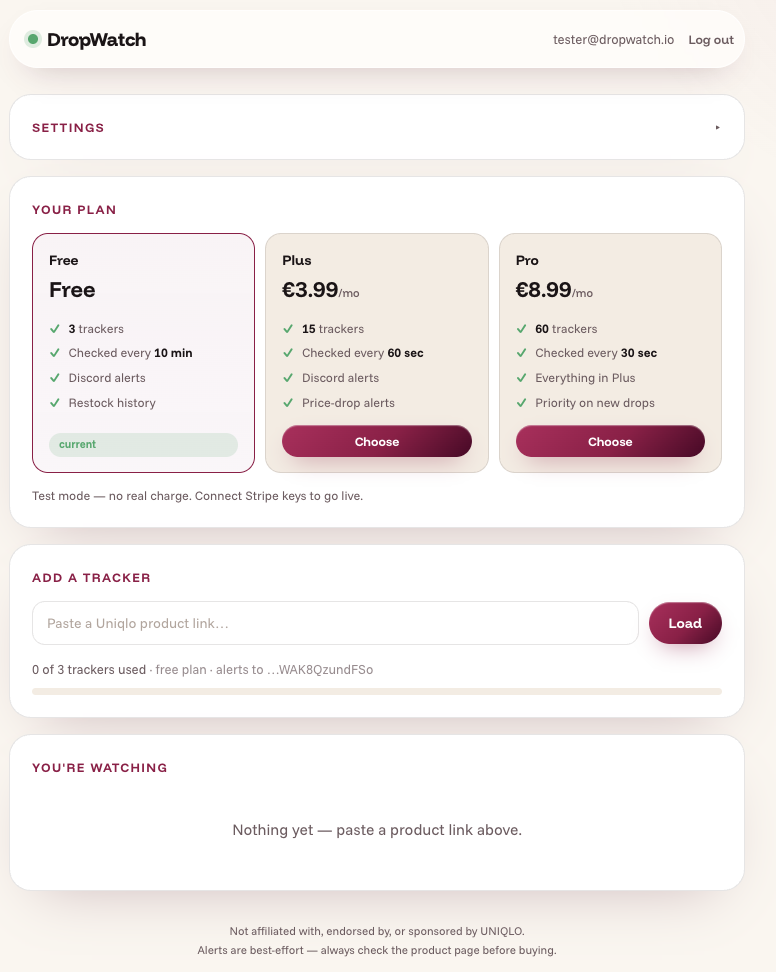
- Click Click here to log in in that Discord message. You land in your DropWatch dashboard, already signed in.
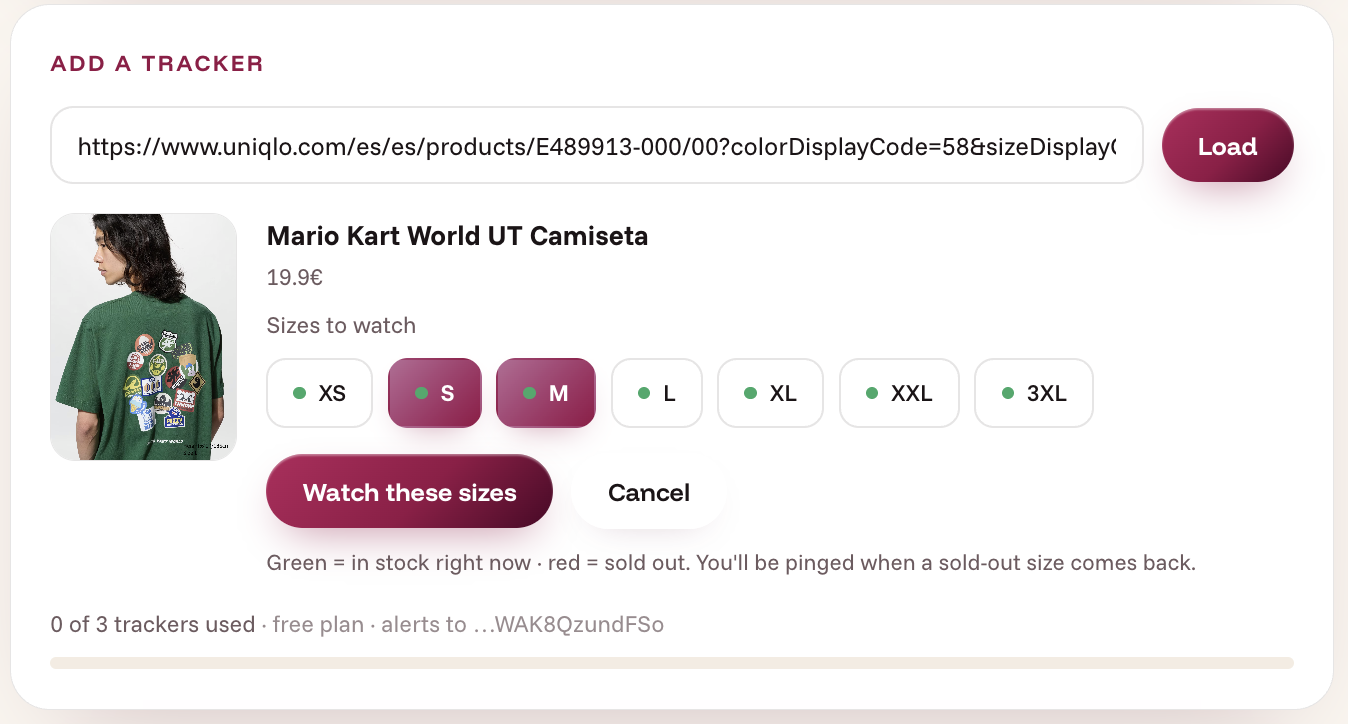
- Paste any Uniqlo product link into Add a tracker and click Load.
- Pick the colour and the sizes to watch (green = in stock now, red = sold out), then click Watch these sizes.
What your alerts look like
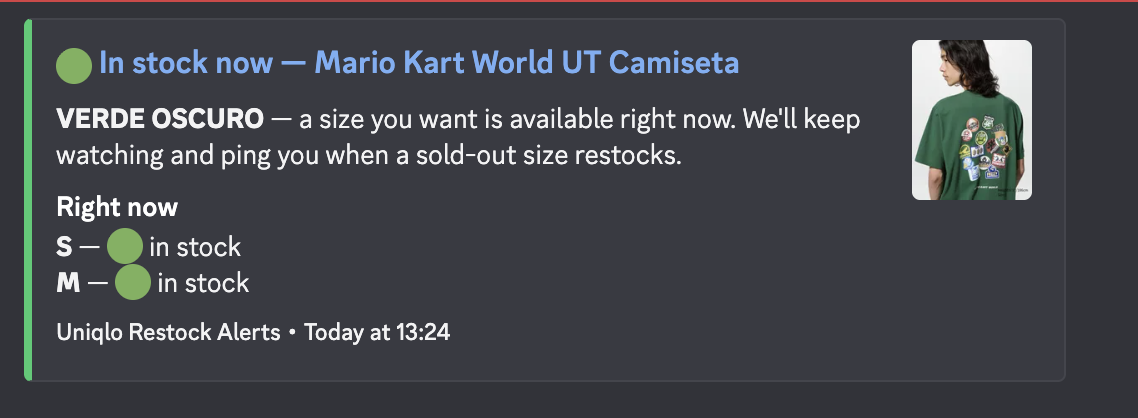
When a sold-out size you’re watching comes back, you get a clean restock alert in your channel. Product name, colour, the sizes that are back, the price, and a direct link to grab it.
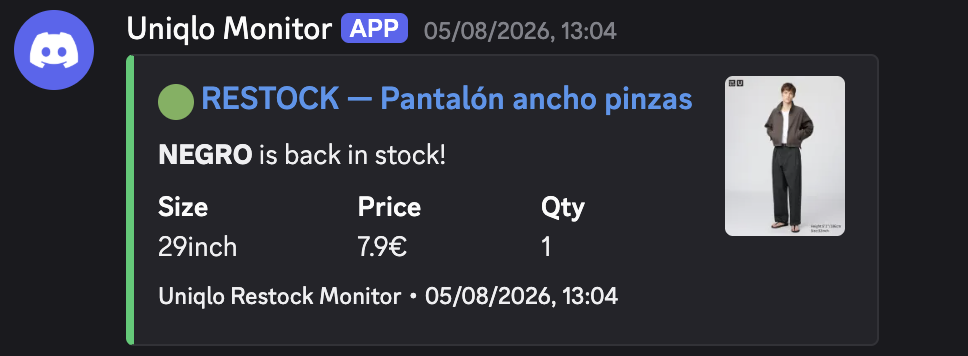
It pings you on every restock. If an item sells out and comes back again later, you’ll be pinged again. Until you remove the tracker.
Manage your trackers
Everything lives in your account:
- Edit. Change which sizes a tracker watches.
- Pause / Resume. Stop alerts without losing the tracker.
- Delete. Remove a tracker completely.
- Change your webhook. Point all your alerts at a different Discord channel any time, in Settings.
Plans
Start free. Upgrade any time. And downgrading never deletes your trackers, they’re just paused until you resume.
- 3 trackers
- Checked every 10 min
- Discord alerts
- 15 trackers
- Checked every 60 sec
- Restock history
- 60 trackers
- Checked every 30 sec
- Priority on new drops
Good questions
The quick answers to the things people ask most. 💬
Which Uniqlo regions are covered?+
All EU countries, UK and US stores are supported as their own trackers.
I got the alert but it sold out again. What now?+
Restocks can sell out fast. Your tracker stays active, so you’ll be pinged again on the next restock. No need to re-add it.
Can I change where alerts go?+
Yes. Update your Discord webhook any time in Settings, and all your alerts move to the new channel.
Can I cancel any time?+
Yes, in one click. Cancelling drops you to the free plan. Your extra trackers are paused, never deleted, and come back if you resubscribe.